


For independent Medicare agents, showing up in local search results is not just a nice-to-have. It's one of the most direct paths to connecting with seniors who are actively looking for coverage in your area. When someone types "Medicare agent near me" or "Medicare help in [city]" into Google search, the agents who appear in the top three local results are the ones who get the calls. This guide covers local SEO strategies, Google Business Profile optimization techniques, and Google Maps marketing tactics that help you rank higher in local search and stay visible to the prospects who need you most.
How Local SEO for Medicare Agents Works
Search engine optimization for local businesses works differently than general SEO. Local SEO is about signaling to Google that your business is the most relevant, trustworthy, and active option for people searching in a specific geographic area. For Medicare agents, that means your Google Business Profile, your website, and your online presence all need to work together to send consistent, accurate signals to Google that your business serves a defined local market.
Google business profiles, formerly known as Google My Business, are the foundation of local SEO for service-based businesses. An optimized Google Business Profile tells Google exactly who you are, where you operate, what services you offer, and how active your business is. That information directly impacts how Google ranks local businesses in search results.
Why Local Search is Critical for Medicare Agents
Medicare is an inherently local service. Seniors prefer to work with agents they can meet in person or at least reach by calling a local phone number. When a prospect searches for local Medicare guidance, they're not looking for a national call center. They're looking for someone nearby who understands their community and can walk them through their options face-to-face. That preference makes local search visibility particularly valuable for independent agents.
A well-managed GBP listing also builds trust before the first conversation. Seniors and their families researching Medicare coverage online are more likely to reach out to an agent whose profile looks complete, professional, and active. An optimized Google Business Profile is often the first impression you make on a potential customer, and it needs to reflect the credibility you bring to every client relationship.
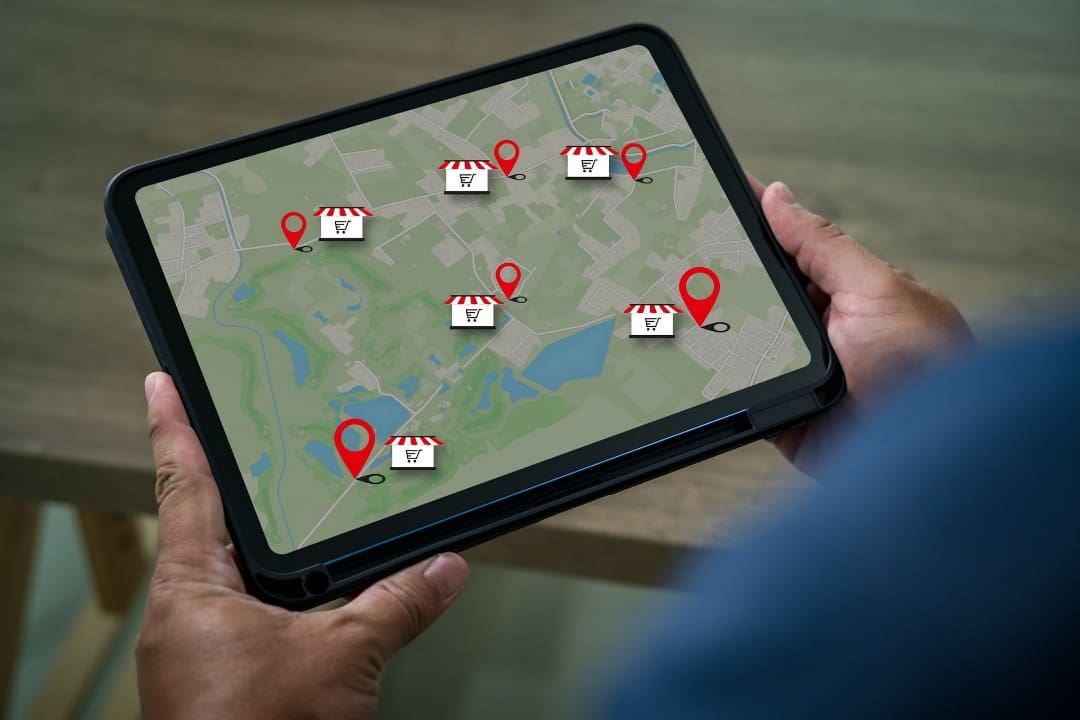
How Proximity Factors Affect Medicare Agents' Rankings
Google uses three primary factors to rank local search results: relevance, distance, and prominence. Proximity refers to how close your business location is to the person performing the search. Google's local algorithm uses the searcher's location, either their device location or the location implied by their search query, to determine which local businesses to display. Agents whose listed business address is geographically closer to the searcher will generally have an advantage in those local results.
What Proximity Means for Your GBP Strategy
Make sure your business information is accurate and complete so Google can correctly map your proximity to local searches. Your business address should be entered exactly the same way across your Google Business Profile, website, and any other online directories where your business is listed. Inconsistent address formatting across the web confuses search engines and can suppress your local visibility.
If you serve multiple communities beyond your immediate area, your service area settings within your GBP listing allow you to define the geographic range where you work with clients. Setting these correctly helps your profile appear in local search queries for surrounding towns and neighborhoods, not just your immediate address.
What is Prominence and How Does it Relate to Proximity?
Proximity gets your profile into consideration, but prominence is what moves you up in the rankings. Prominence refers to how well-known and trusted your business appears to Google based on signals like reviews, backlinks, citations, and activity. A Medicare insurance agent with strong prominence can rank higher in local search results than a closer competitor with a neglected profile.
This is where your ongoing GBP management and local SEO efforts have the most impact. Building customer reviews, keeping your profile updated, and maintaining consistent business information across the web all contribute to prominence. Over time, these signals help your business stand out among local businesses competing for the same search queries.

How to Use Local SEO Tactics to Improve GBP Rankings
To maximize your local presence and consistently appear in front of potential customers, you need a strategy that addresses every element Google evaluates when ranking local businesses.
Complete and Optimize Your Google Business Profile
The first and most foundational way to improve your local search performance is to complete your profile with accurate information. Every blank field in your Google Business Profile is a missed opportunity. Your business name, address, phone number, website, business hours, service categories, and business description should all be filled in completely and kept up-to-date.
When writing your business description, incorporate the keywords your prospects are likely to search for, but write naturally. Google business profile listings that read like keyword lists do not convert prospects into clients. Write your description the way you would introduce your services to a senior at a local community center: clear, warm, and focused on how you help.
Next, choose your primary business category carefully. For Medicare agents, selecting the most accurate category, such as "Insurance Agency" or "Health Insurance Agency," helps Google match your profile with the right local search intent. You can add secondary categories as well to capture a broader range of relevant search queries.
Build and Manage Citations Consistently
A citation is any online mention of your business name, address, and phone number. Search engines use citations across directories, review platforms, and local listings to verify that your business information is accurate and consistent. Inconsistent citations, where your phone number appears differently across websites or your address uses different formatting, reduce Google's confidence in your business information and can suppress your local search rankings.
Audit your citations across major directories and correct any inconsistencies. The goal is to ensure your business name, address, and phone number appear exactly the same way everywhere they are listed online. This consistency is one of the most effective local SEO strategies for boosting local search rankings over time.
Effective Local SEO Techniques for Medicare Agents
Beyond your GBP, there are several local SEO techniques that directly support your search rankings.
Improve Your Website's Local Signals
Your website and your Google Business Profile work together. To improve your local search performance, your website should include your city and service area in page titles, headers, and body content where it reads naturally. A dedicated contact page with your full business address reinforces your local presence and sends consistent signals to Google that your business operates in a specific area.
Use Google Posts Consistently
Google Posts are one of the most underutilized tools for improving local visibility. Publishing regular posts to your GBP signals to Google that your business is active and engaged. For Medicare agents, a consistent posting schedule covering educational content, AEP updates, and local events makes your profile relevant and increases the likelihood that Google will surface your listing in search results.
Build Local Backlinks
Search engine optimization for local businesses is strengthened by backlinks from other reputable local websites. If you speak at a senior center, sponsor a local event, or are featured in a community newsletter, ask for a link back to your website. These local backlinks signal to Google that your business is a recognized presence in the community and enhance local SEO rankings.

How to Track and Improve Your Google Map Pack Placement
The Google Map Pack, also called the local pack, is the section of Google search results that displays a map alongside three local business listings. Appearing in the top three results in this section, known as the "top three," is one of the most valuable positions in local search. It places your business name, rating, phone number, and a link to your profile directly in front of prospects before they scroll down to view additional results.
How to Optimize GBP for Local Search Rankings
Optimizing your Google Business Profile for Map Pack placement requires attention to the same factors that drive all local search rankings: relevance, prominence, and proximity. The strategies to optimize your profile for Map Pack visibility include keeping your profile complete, generating consistent reviews, and maintaining an active posting presence.
Relevance is improved by selecting the right categories, writing a keyword-informed description, and adding your services to the services section of your profile. The more clearly your profile communicates what you do and who you serve, the more confidently Google can match your listing with the right local search queries.
Track Your GBP Performance
A Google Business Profile gives you access to performance data directly from your dashboard. You can see how many people searched for your profile, how they found it (whether through direct searches for your business name or discovery searches for Medicare-related terms), and what actions they took, such as clicking your phone number or requesting directions. Review this data monthly to identify trends and adjust your strategy accordingly.
For a more detailed view of your local search rankings, tools like Google Search Console can show you which search queries are driving traffic to your website from local searches. Tracking these metrics over time helps you measure local SEO improvement and identify where additional optimization is needed.
Why You Need Reviews to Boost Google Listing Rankings
Customer reviews are one of the strongest ranking signals for Google Map Pack placement. The volume, recency, and quality of your reviews all factor into how prominently your profile appears in local search results. Responding to reviews, both positive and critical, demonstrates active customer engagement and supports your profile's prominence.
Encouraging customers to leave reviews is one of the most direct actions you can take to improve your local search rankings. After a successful Medicare enrollment or a helpful consultation, follow up with a simple message that makes it easy for your client to leave a review. Positive reviews build trust with future prospects and send a clear signal to Google that your business is active and well-regarded. Google reviews are also among the first things potential customers read when deciding who to contact, so the content of those reviews matters as much as the quantity.

How to Geo-Tag Images for Better GBP Performance
Geo-tagging is the process of embedding location data into image files before you upload them to your Google Business Profile or website. When images contain location metadata, search engines can associate that visual content with a specific geographic area, which can contribute to better local SEO performance for agents who consistently upload geo-tagged photos.
What Geo-Tagging Does for Your Profile
Search engines read the metadata embedded in image files, including coordinates that indicate where a photo was taken or associated. Uploading geo-tagged images to your GBP listing reinforces your local presence by giving Google additional location signals tied directly to your visual content. Over time, a profile with accurate, geo-tagged photos of your office, team, and local community can contribute to stronger local visibility.
How to Geo-Tag Images Before Uploading
Geo-tagging images does not require technical expertise. Several free tools, including GeoImgr and ExifTool, allow you to add or edit the GPS coordinates embedded in an image file before you upload it. Simply add the coordinates of your business address to each image you plan to use on your profile.
When uploading photos, prioritize images that are clearly connected to your local presence: photos of your office exterior and interior, headshots taken at your workspace, and images from local community events or workshops you've hosted. These visuals reinforce your geographic relevance and help your prospects learn more about who they'll be working with.
Tips for Maximizing Image Impact on Your GBP
Beyond geo-tagging, the images you upload to your Google Business Profile should be high quality, well-lit, and professionally representative of your business. Blurry or poorly lit photos can undermine the credibility of your profile. Aim to upload new photos regularly, as profile activity, including image uploads, is one of the signals that contributes to an optimized Google Business Profile.
Name your image files descriptively before uploading them. A file named "medicare-agent-office-[city].jpg" provides more context to search engines than a generic filename like "IMG_4823.jpg." This small technique supports better local indexing and is a simple step that many agents overlook.

How to Maximize Your Local Visibility With SEO
To maximize your local search presence, your Google Business Profile needs to be complete, active, and supported by consistent reviews, regular posts, accurate citations, and quality images. Each of these elements work together to improve your visibility in search results and help your business stand out to seniors who are searching for a Medicare agent.
For a broader look at how your GBP fits into a complete Medicare insurance marketing system, check out the following articles by Medicare Marketing 24/7:
- How to Build a Medicare Marketing Strategy That Actually Works
- What Should a Medicare Agent Website Include?
- 5 Signs Your Current Medicare Marketing System Isn't Working
- What Is Identity Resolution and How Can Medicare Agents Use It?
For additional guidance on local SEO best practices, Google's own documentation on how local ranking works is a great resource to reference.
At Medicare Marketing 24/7, we build marketing systems that keep independent agents visible, consistent, and growing. If you're ready to boost your local search presence and connect with more seniors in your area, schedule a demo to see how our platform supports your local visibility online.